
Features
How to publish a video on home page? (VMT)
Steps to publish a video on home page using Vimotia:
A video tutorial can be found here: https://www.youtube.com/watch?v=Yd4ppUBKSpA&t=201s
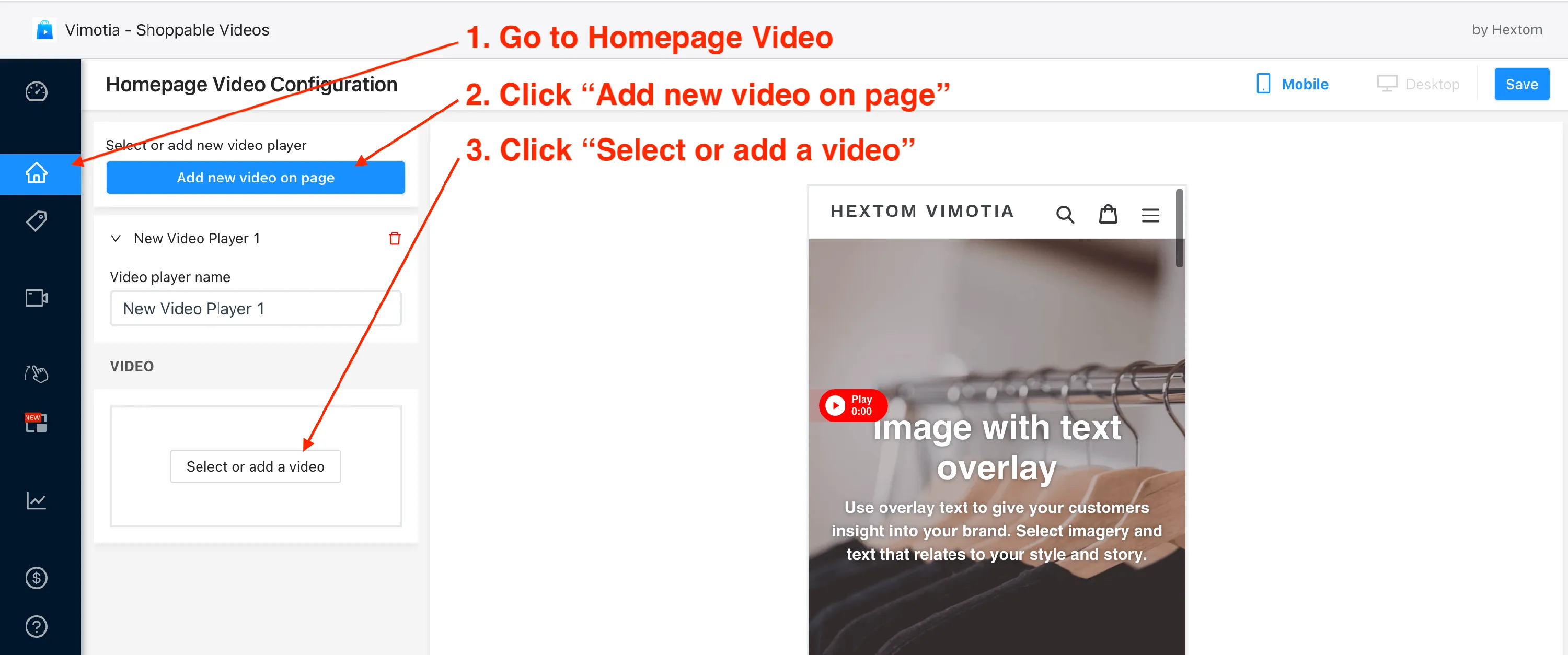
- On the admin menu click on “Home page” under “Publish videos on”.
- Click “Add new video on page.”
- Click “Select or add a video.”
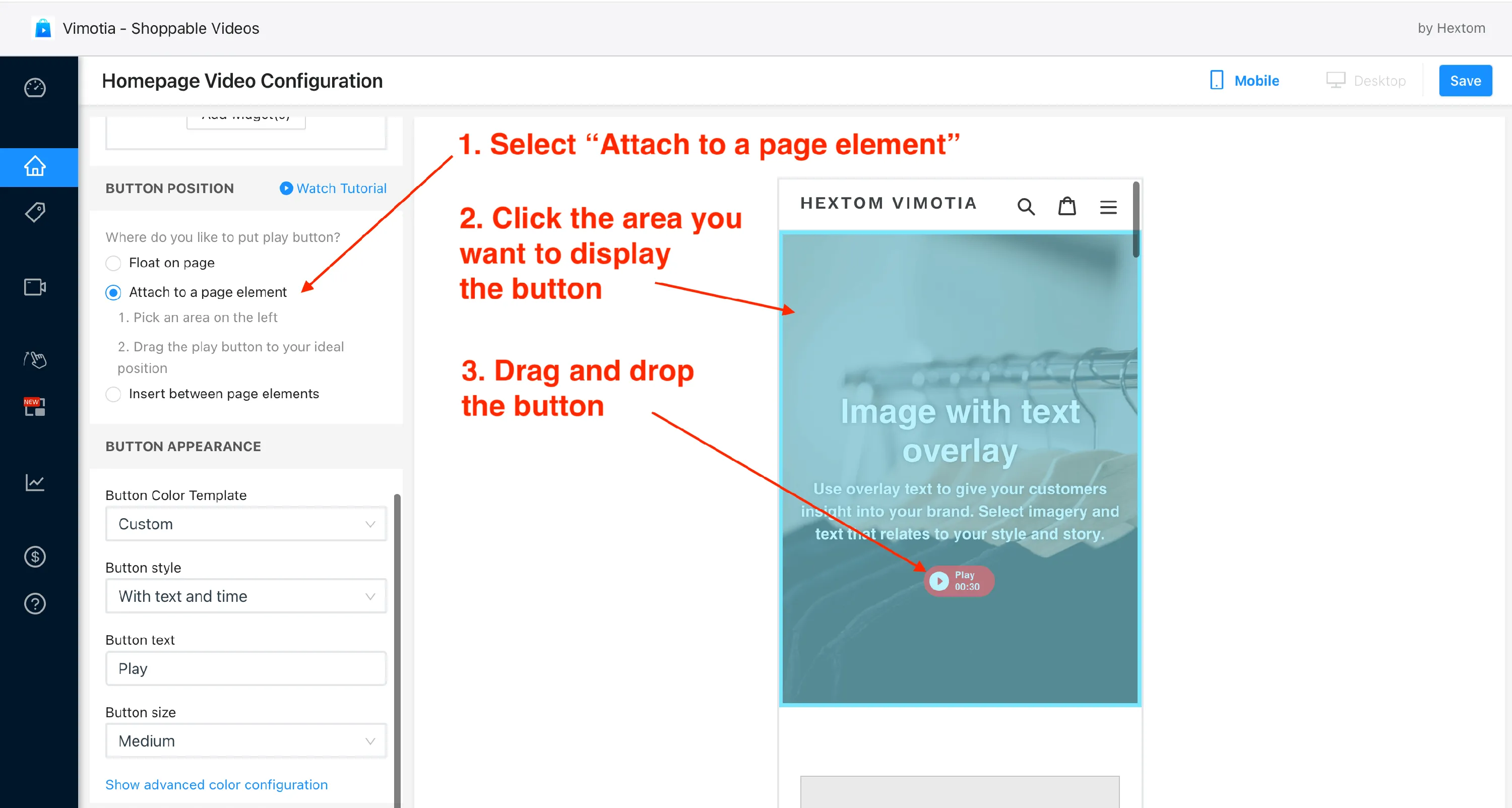
- Select “Attach to a page element.”
- Click the area you want to display the button.
- Drag and drop the button
- Finally, save the configs.
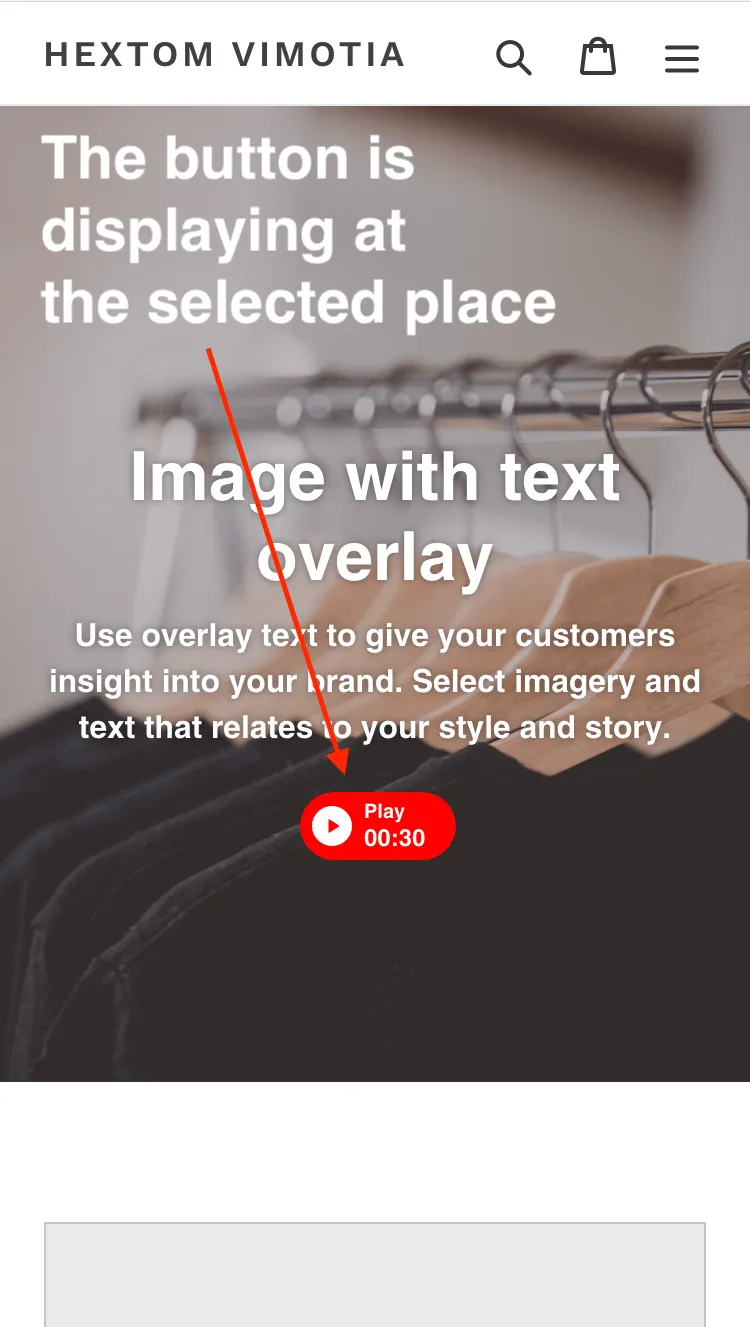
- Vimotia will be publishing the video to your store. Usually, it may take some time to complete the process. Once the video is published, take a look at your site. The play button should display on the selected place.
Was this article helpful?
Your feedback helps us improve our docs.
Thanks for the feedback!