Image Edit
What are Theme Asset Images?
Our Bulk Image Edit app allows merchant’s to bulk edit these types of images:
• Product Images
• Theme Asset Images
• Collection Cover Images
• Blog Article Images
• All images in a blog article
• Homepage Images
• Images stored in the files section
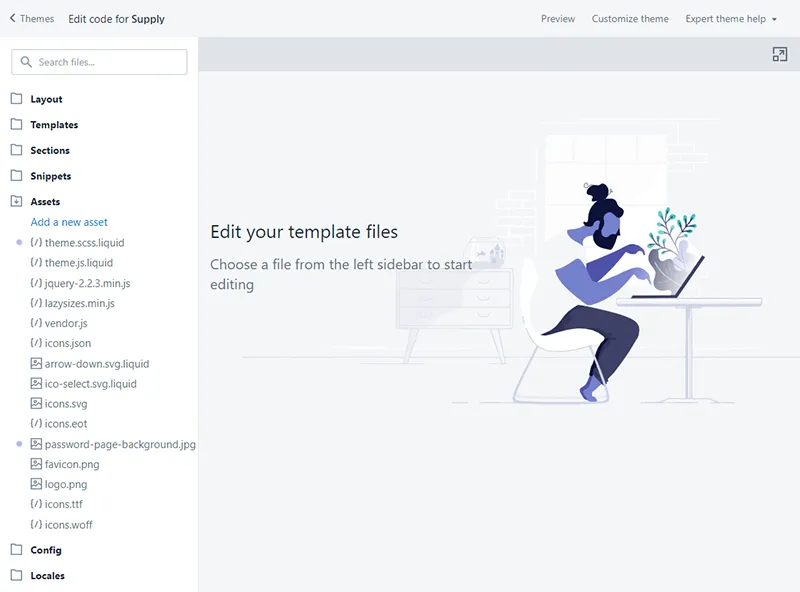
This often leads to a question - What are theme asset images? Theme assets refer to the contents of the Assets folder in the theme editor. It contains all the assets used in the theme, including images, stylesheets, and javascript files.
Any images that are placed in this folder by the Theme developer, such as theme graphics, can be accessed by our app. Users can also upload images to this folder in order to process them.
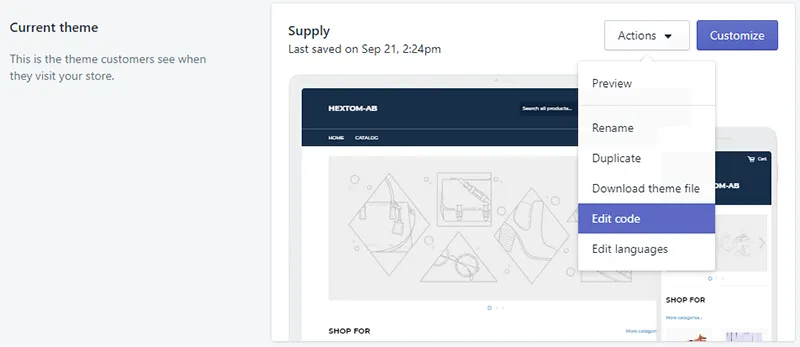
How to find access theme files - Select “Online Store” in your Shopify Admin sidebar, and select “Edit Code” for your current theme.
How to find Assets folder - on the left-hand side, you will see a folder called Assets. Click on it to expand the content. To upload images, click “Add a new asset”.