Image Edit
How can I filter only the first image of each product?
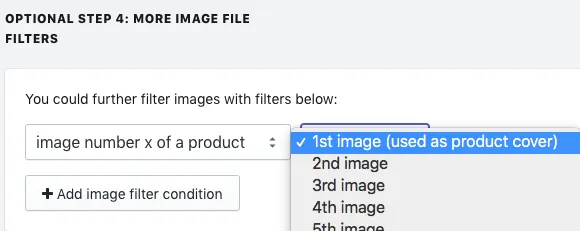
Our Bulk Image Edit app has an image filter designed to do exactly that! It’s called image number x of a product, and it can be used to target anything from Image #1 (used as product cover) to image #10. This is often used to target only the product cover, since this image is used to generate thumbnails.
Please see the image below to see where this filter is located.
Was this article helpful?
Your feedback helps us improve our docs.
Thanks for the feedback!