
Plans & Pricing
How do I cancel my plan/subscription?
You have two options to cancel your subscription to the Translate and Currency app:
- Uninstall the app: This is the most straightforward way to stop all future charges.
- Switch to a free plan: You can downgrade to a free plan to stop future charges while keeping the app installed.
Option 1: Uninstalling the App
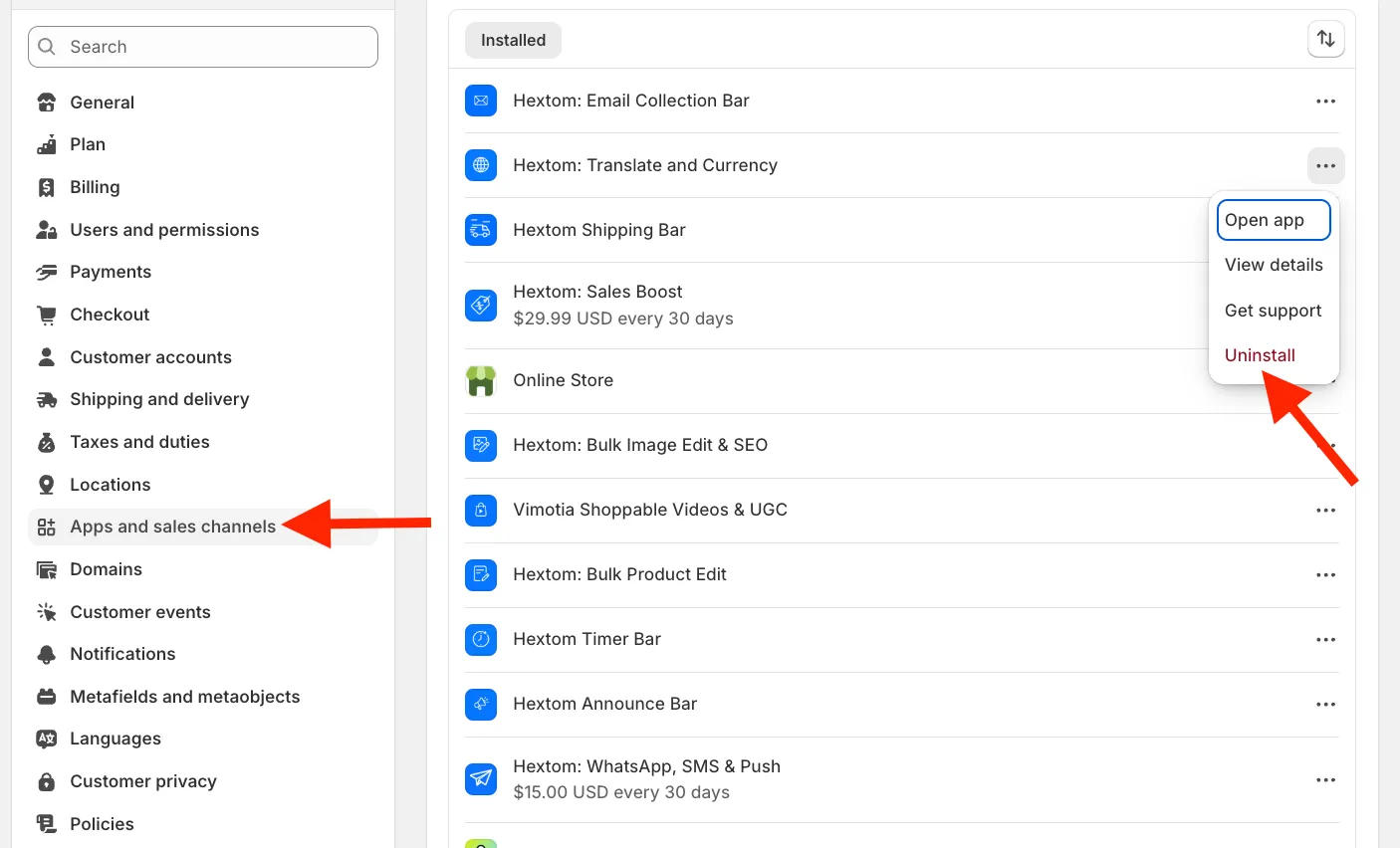
- From your Shopify admin, go to Settings > Apps and sales channels.
- Find the Translate and Currency and click Uninstall.
- Confirm that you want to uninstall the app.
Option 2: Switching to a Free Plan
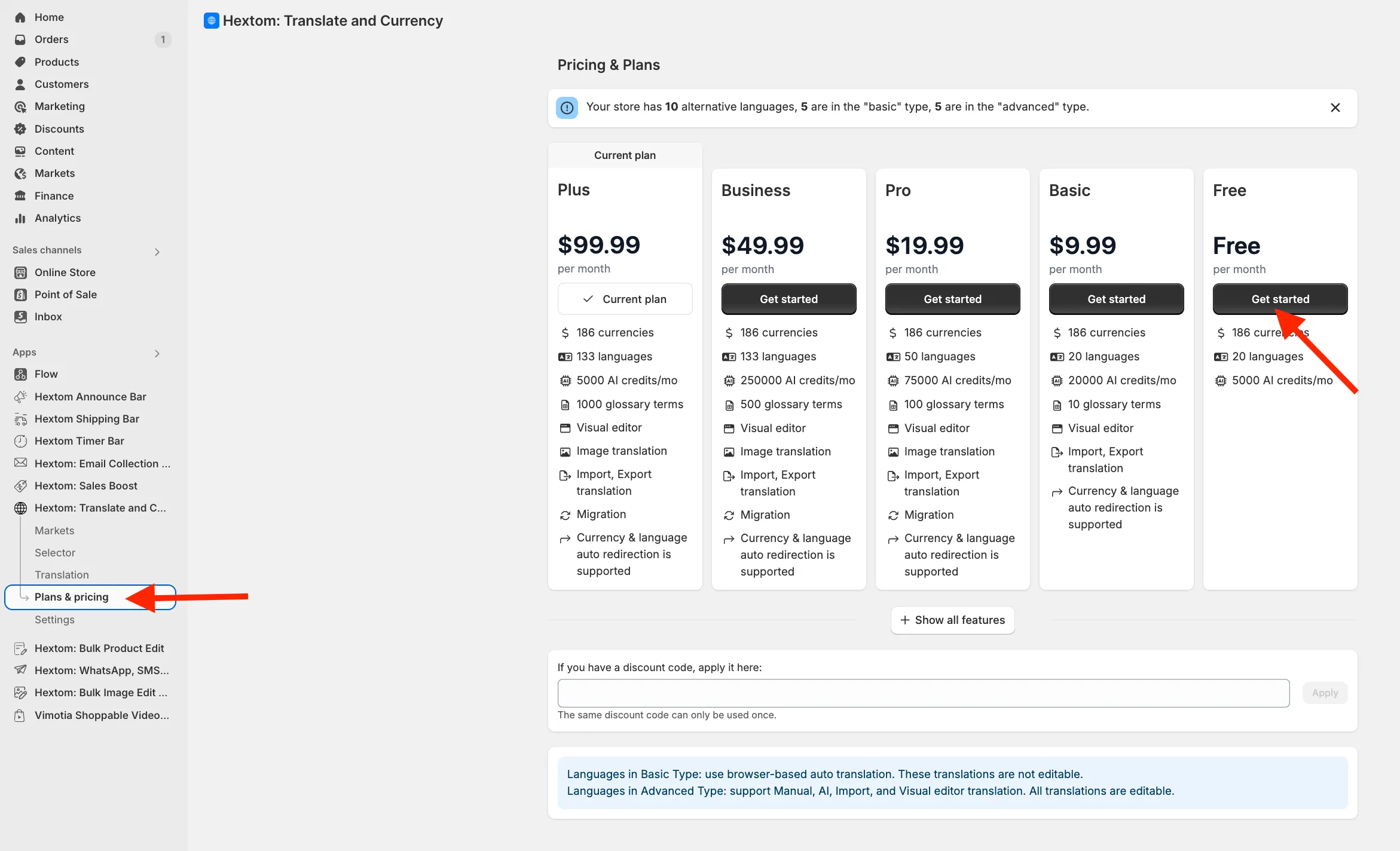
- From within the app, go to the Plans & Pricing page.
- Select the free plan option and click Get started.
- Confirm your decision.
- After you confirm, your plan will be immediately downgraded, and you will no longer receive future charges.
If you have any questions, please feel free to email us at help@hextom.com.
Was this article helpful?
Your feedback helps us improve our docs.
Thanks for the feedback!