
Bulk Product Edit
How do I bulk edit deprecated Google Shopping attributes?
Google occasionally removes older Shopping attributes from its official product data specification. Deprecated attributes are still included when Shopify generates a product CSV export, but they are no longer used by the official Google Shopping app and may be ignored in feeds or trigger warnings.
If you need to update these legacy attributes in your Shopify store, the Bulk Product Edit app lets you edit them using the product metafield tool.
What Are Deprecated Google Shopping Attributes?
Deprecated attributes are fields previously used for Google Shopping that are no longer supported by Shopify’s official Google Shopping integration. They can still appear in exported CSV files and may be required by some custom integrations or workflows.
Here’s the list of deprecated attributes you can edit:
Field Namespace Key Accepted Values
Product Type
google
google_product_type
Custom text
Age Group
google
age_group
adult or kids
MPN
google
MPN
Custom text
AdWords Grouping
google
adwords_grouping
Custom text
AdWords Labels
google
adwords_labels
Custom text
Condition
google
condition
new , used , or refurbished
Custom Product
google
custom_product
true or false
Custom Label 0
google
custom_label_0
Custom text
Custom Label 1
google
custom_label_1
Custom text
Custom Label 2
google
custom_label_2
Custom text
Custom Label 3
google
custom_label_3
Custom text
Custom Label 4
google
custom_label_4
Custom text
How to Bulk Edit Deprecated Attributes
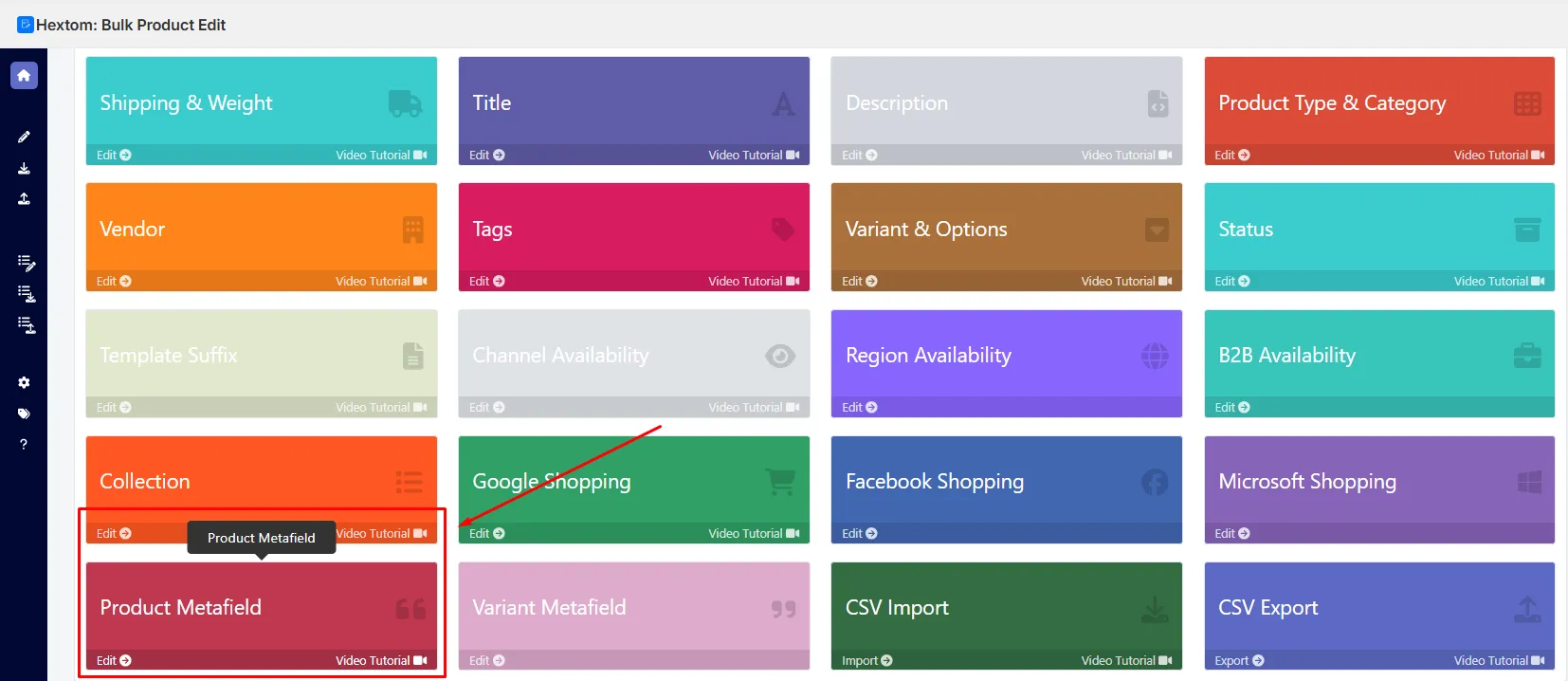
- Open the app and go to the Product Metafield section.
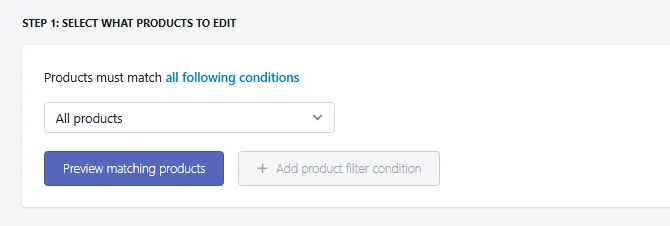
- Use filters to select specific products or choose “All products.”
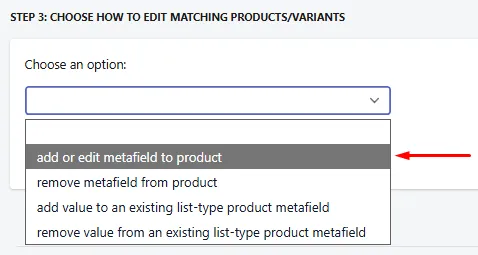
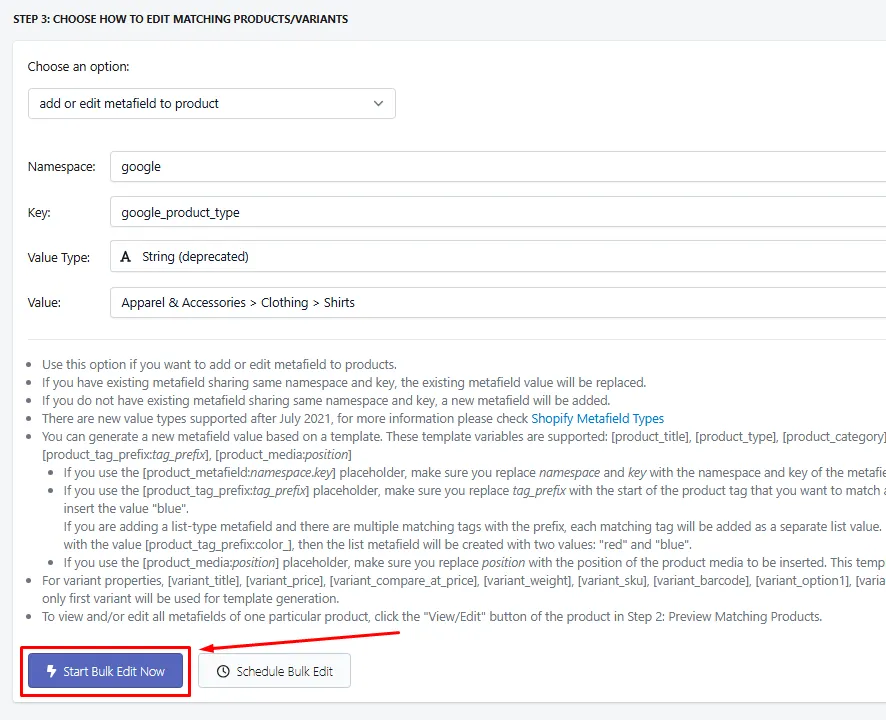
- Click the option to add a metafield to products.
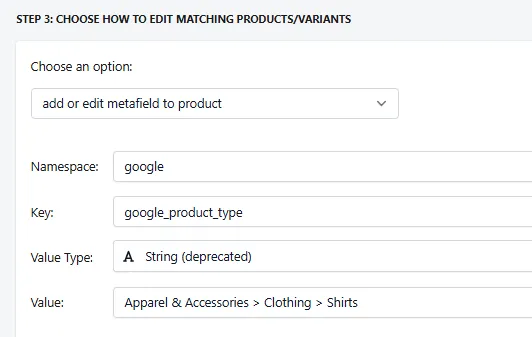
- Set up the attribute
- Enter the namespace as google
- Enter the appropriate key (see the table above)
- Add the value you want to apply
- Once everything has been setup, click the Start Bulk Edit Now button and everything should be good to go.
Notes and Best Practices
- These fields are deprecated, meaning the official Google Shopping app no longer uses them. Use this method only if you still rely on these fields for legacy integrations or workflows.
- If you want to edit current Google Shopping attributes supported by the current Shopify Google Shopping app, see How do I bulk edit Google Shopping attributes?
- Ensure you enter values that match what your custom systems expect.
If you have any questions or suggestions, feel free to contact our support team at help@hextom.com.